Back to works

Eenovators Ltd. · UI/UX portfolio case study

Designing a smarter way to manage energy.

Eagles Energy Management Platform

A centralized B2B SaaS platform that brings real-time meter monitoring, advanced analytics, financial tracking and utility operations into one cohesive experience.

My role
UI/UX Designer
Domain
B2B SaaS / Energy
Organization
Eenovators Ltd.
Platform
Web application
Timeline
2024 · 1 year
Eagles Energy Management Platform on a laptop

01 · Project overview

At a glance

The product

Eagles is a B2B energy management platform helping organizations monitor real-time consumption, oversee multi-site meters, analyze performance bottlenecks, evaluate energy-saving initiatives, and manage operational billing.

Core capabilities

  • Multi-site tenant and meter management
  • Real-time and historical analytics dashboards
  • Integrated financial analysis and project tracking
  • Automated utilities operations and bill generation
Target audience

Built for stakeholders driving operational efficiency.

Energy managersFacility teamsEngineersAdministratorsMulti-site corporates

Role & core focus

As UI/UX Designer, I led user research, design-system construction and B2B workflow mapping.

  • Enterprise UX and complex dashboard layouts
  • High-density interactive charts and analytics
  • Streamlining stepper and modal-driven workflows

02 · The challenge

The fragmentation bottleneck.

Traditional energy monitoring tools fail complex enterprise facility operations when critical work is spread across disconnected views.

Disconnected workflows

Energy metrics are siloed. Managers use one tool to read physical meters, another to run financial projections, and separate spreadsheets for billing tenants and tracking audits.

Delayed incident response

Critical anomalies and spikes go unnoticed for days when there is no unified view of the operation.

Billing complexity

Engineers spend hours manually converting readings into custom multi-tenant billing calculations.

Complex audit loops

A lack of central historical charts keeps facility leads blind to year-over-year efficiency drops.

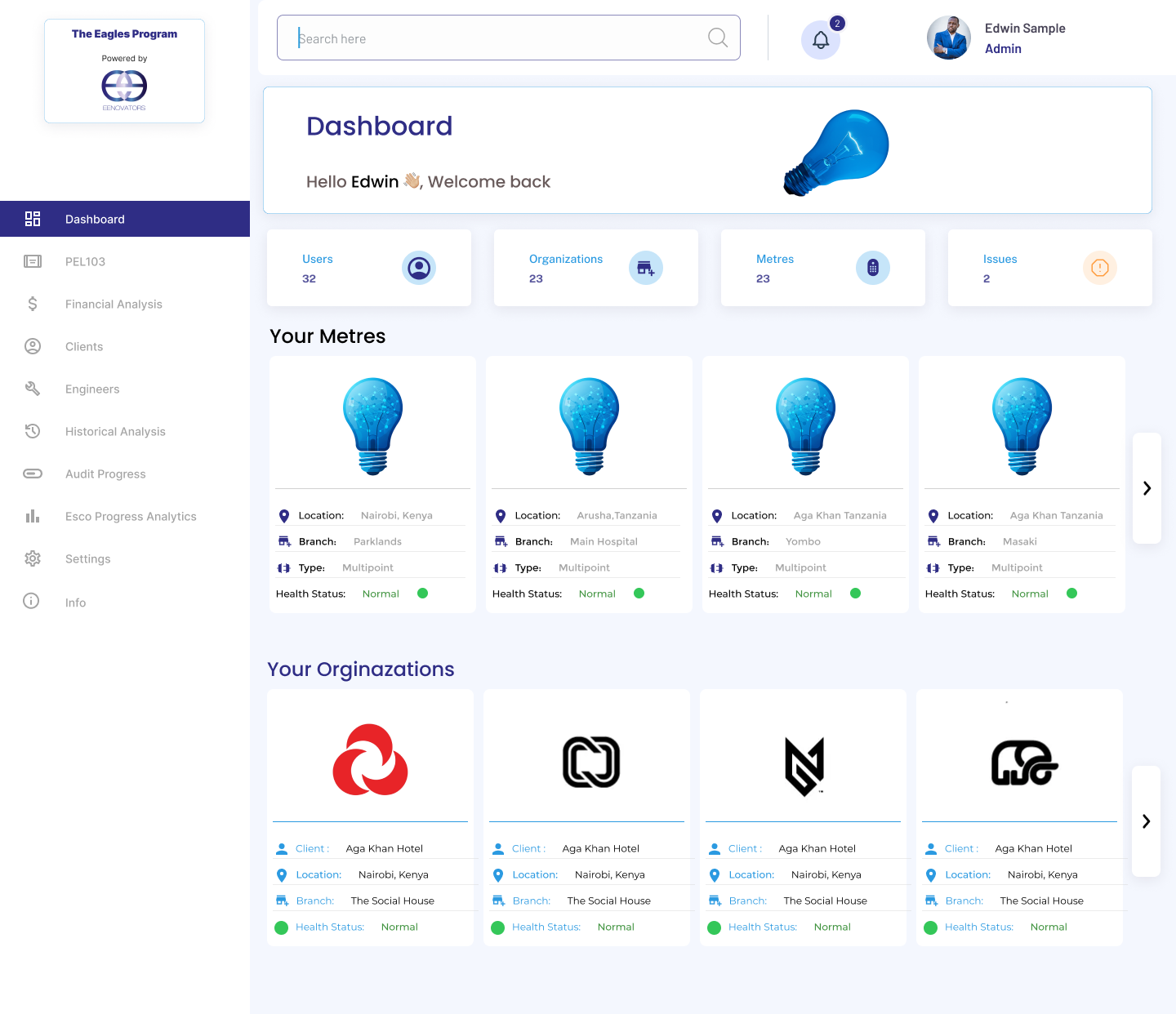
Dashboard overview showing operational metrics
Core UX objective

Unify this disparate system into a single scalable operational workspace. Overview widgets must highlight exceptions immediately while serving as gateways to deep workflows.

03 · Users & research evidence

User landscapes.

The critical operational insight: users move constantly between quick status checks and deep diagnostic dives.

01

Energy & facility managers

Need instant exception highlights for morning rounds, while field engineers need nested telemetry data to run diagnostics.

02

Operations engineers

Require multi-meter comparisons, diagnostics and clear historical context.

03

System administrators

Manage permissions, secure profiles, configuration and role-based access.

04

Clients & tenant leads

Need simplified billing breakdowns, clear tariff rates and operational summaries.

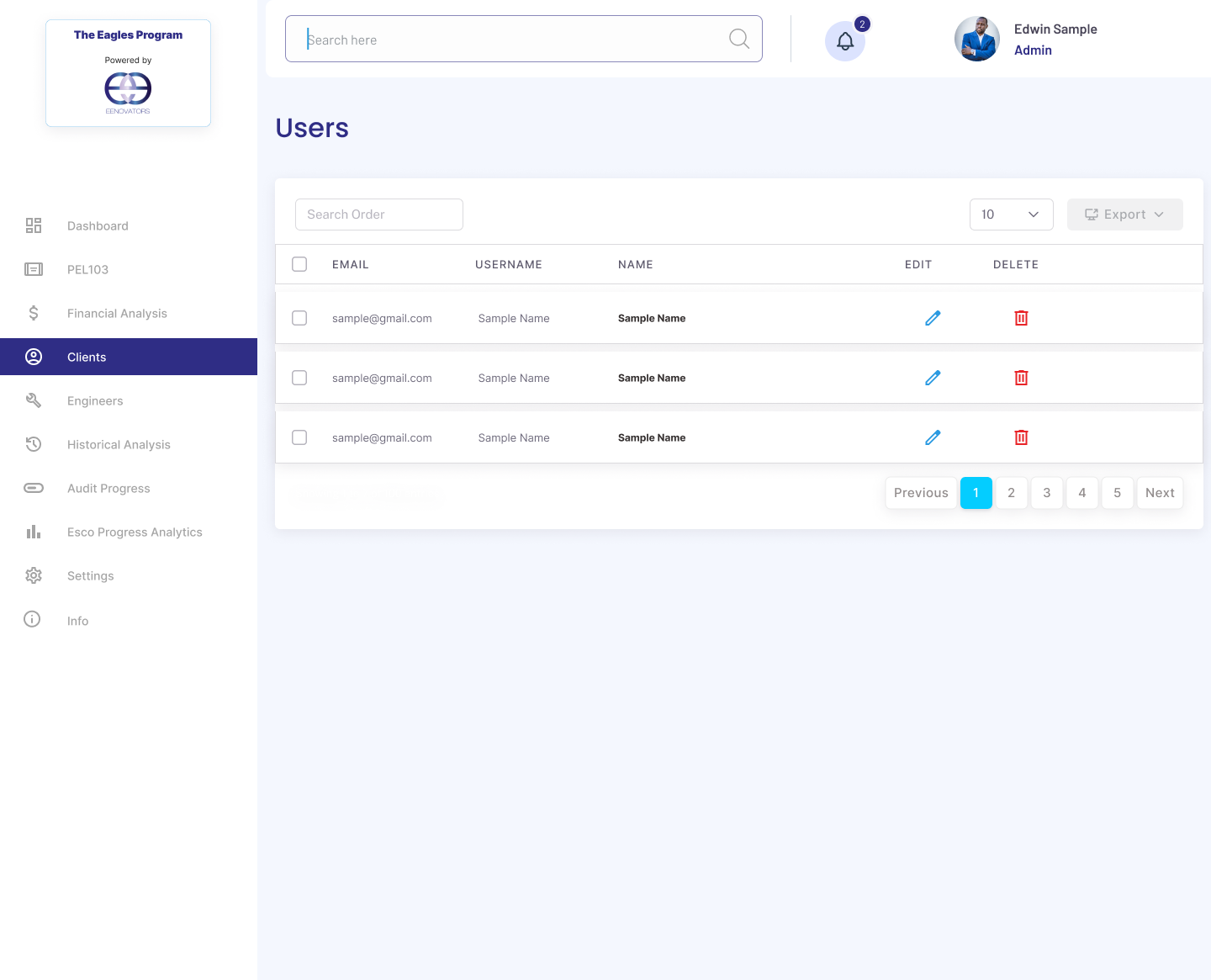
Eagles users and permissions screen
Key UX design rule

Avoid structural dead-ends. The administrator's user settings form must mirror the complexity of physical meter access layers without overwhelming technical editors.

04 · Product workflow approach

Overview to deep diagnostic loops.

Complex operational work becomes easier when each next step is disclosed only after the previous decision is understood.

01

Diagnose anomalies

Analytics overview

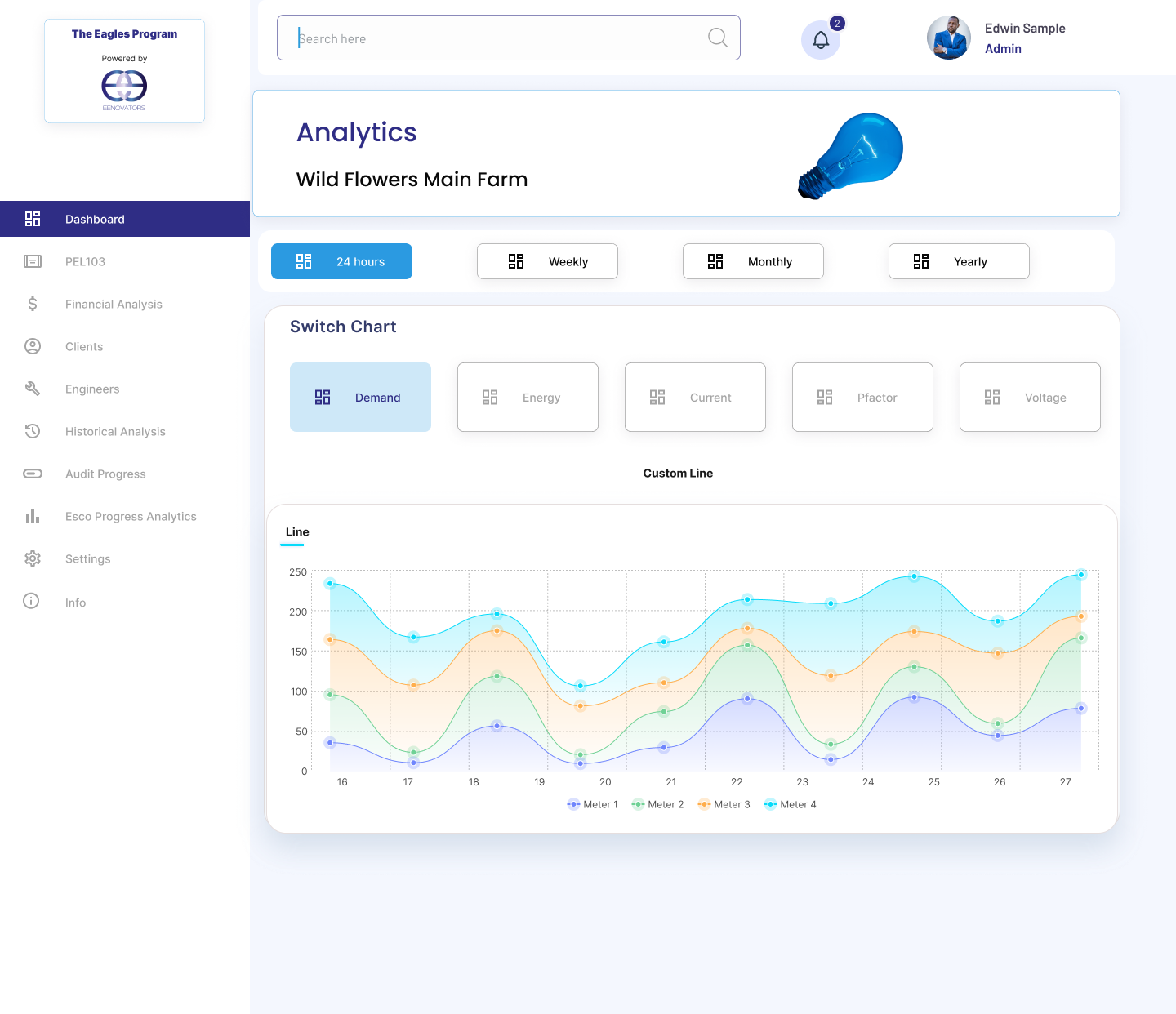
Interactive dashboards let engineers drill down from high-level exceptions to diagnostic detail.

02

Structure initiatives

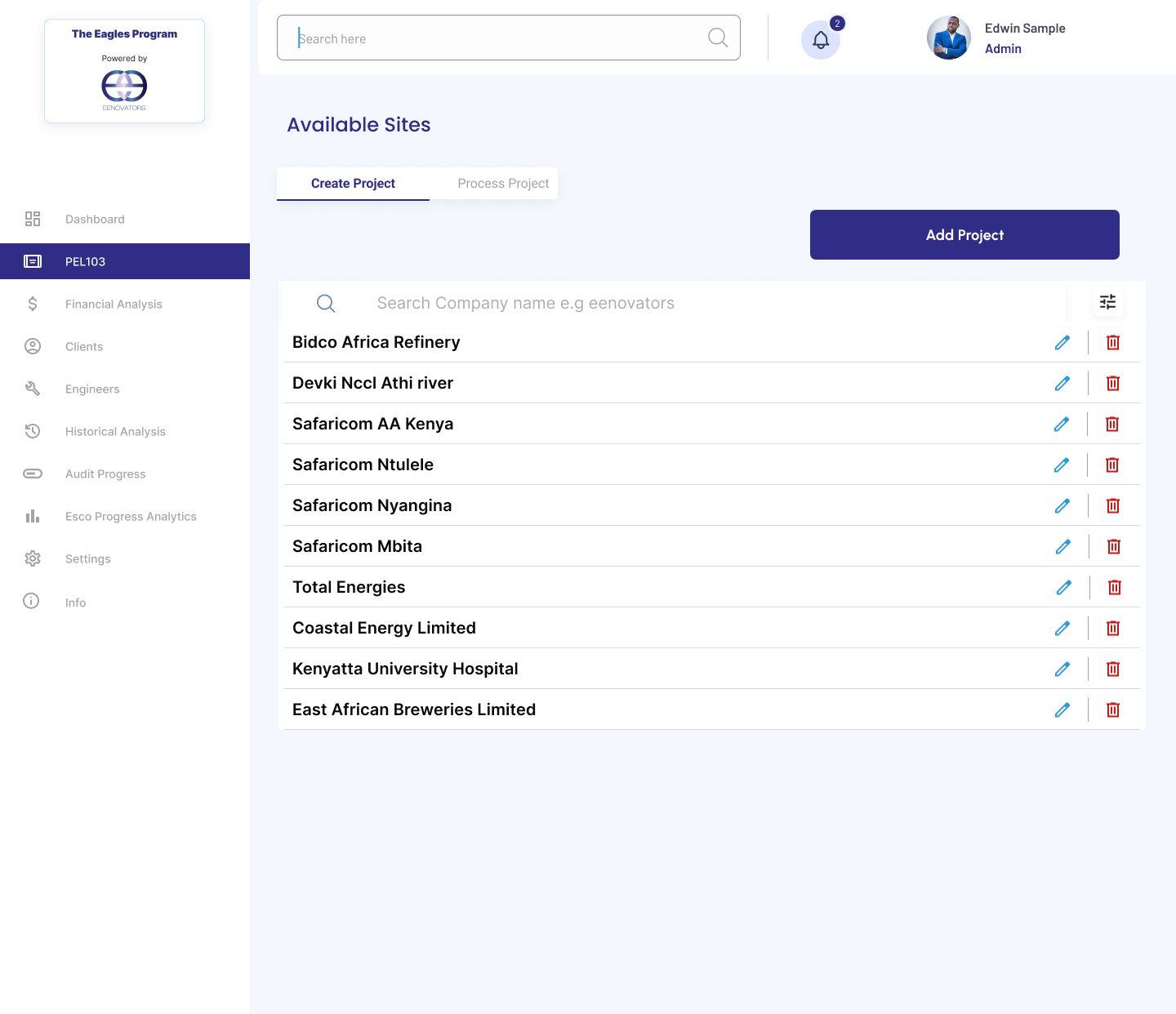
Financial projects available sites

Projects are organized around sites, objectives and the next measurable action.

03

Resolve utility billing

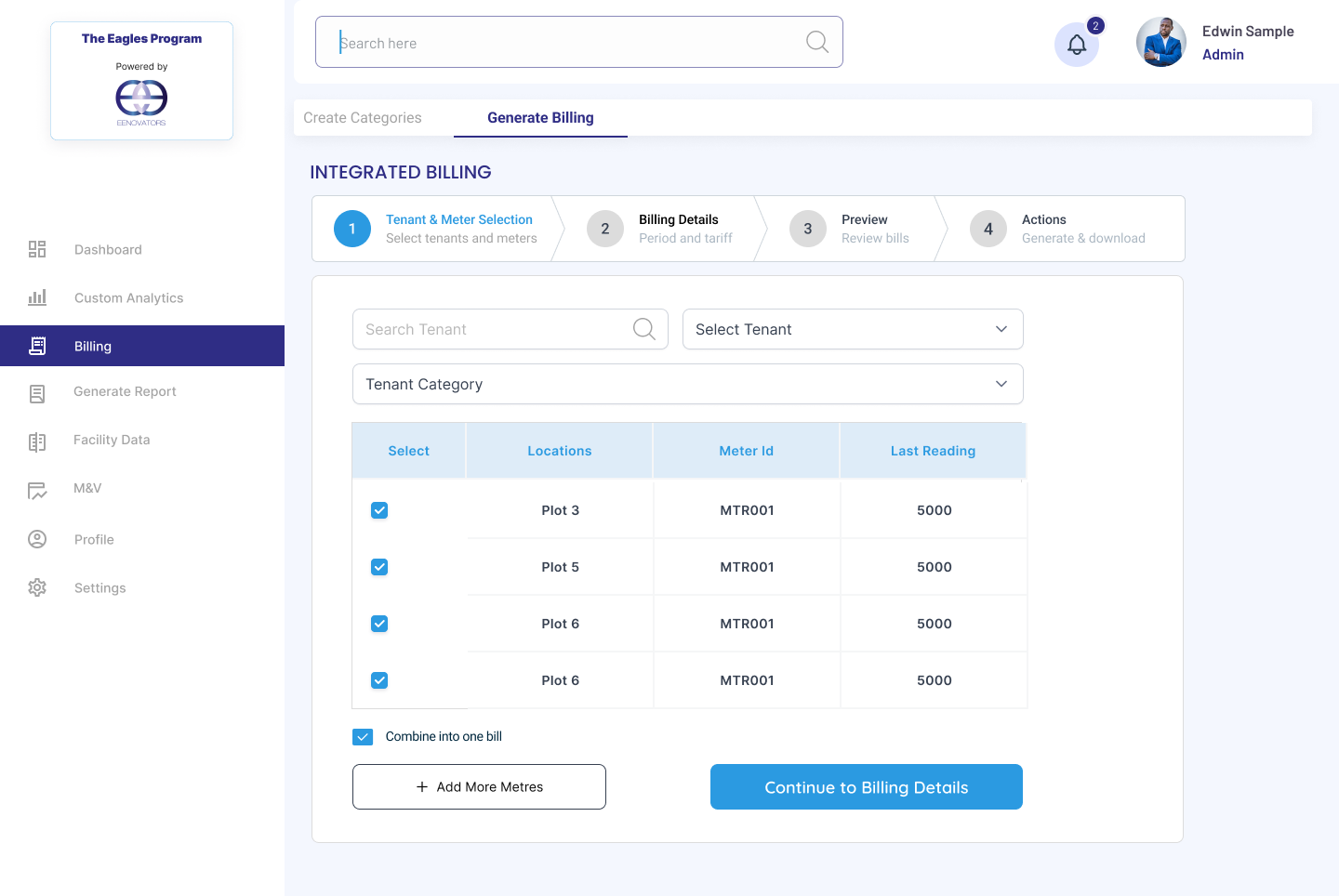
Integrated billing tenant selection

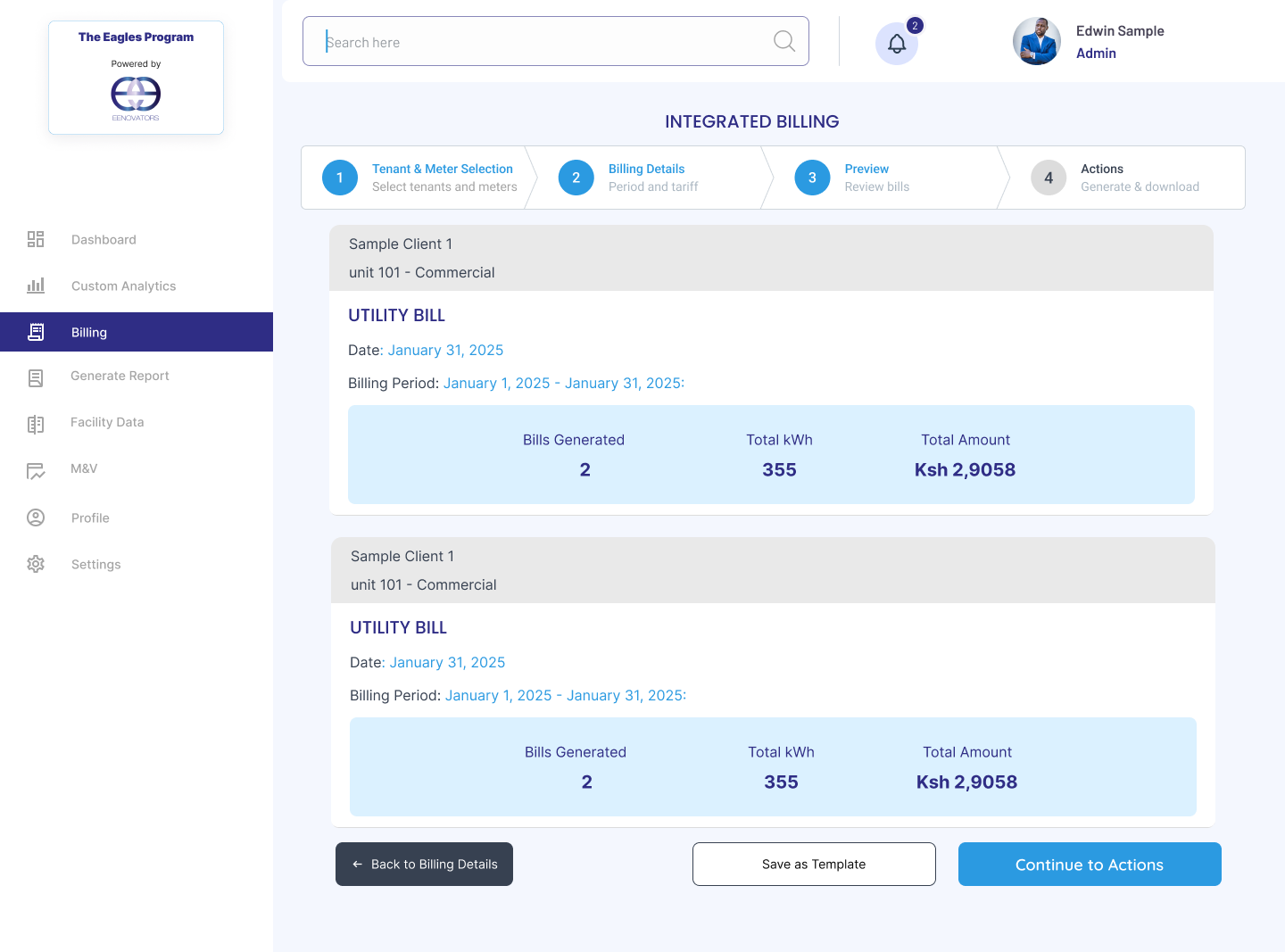
Billing follows a guided path from tenant selection to a reviewable bill.

05 · Design decision 01

Centralized operational dashboard.

Critical infrastructure health metrics, meter readings, organization contexts and active issues are consolidated into one scannable space.

Progressive oversight

  • Unified overview of organization status, telemetry and hardware integrity
  • Fast access to facility diagnostics
  • Prioritized exception highlights

06 · Design decision 02

Turn energy data into visual insights.

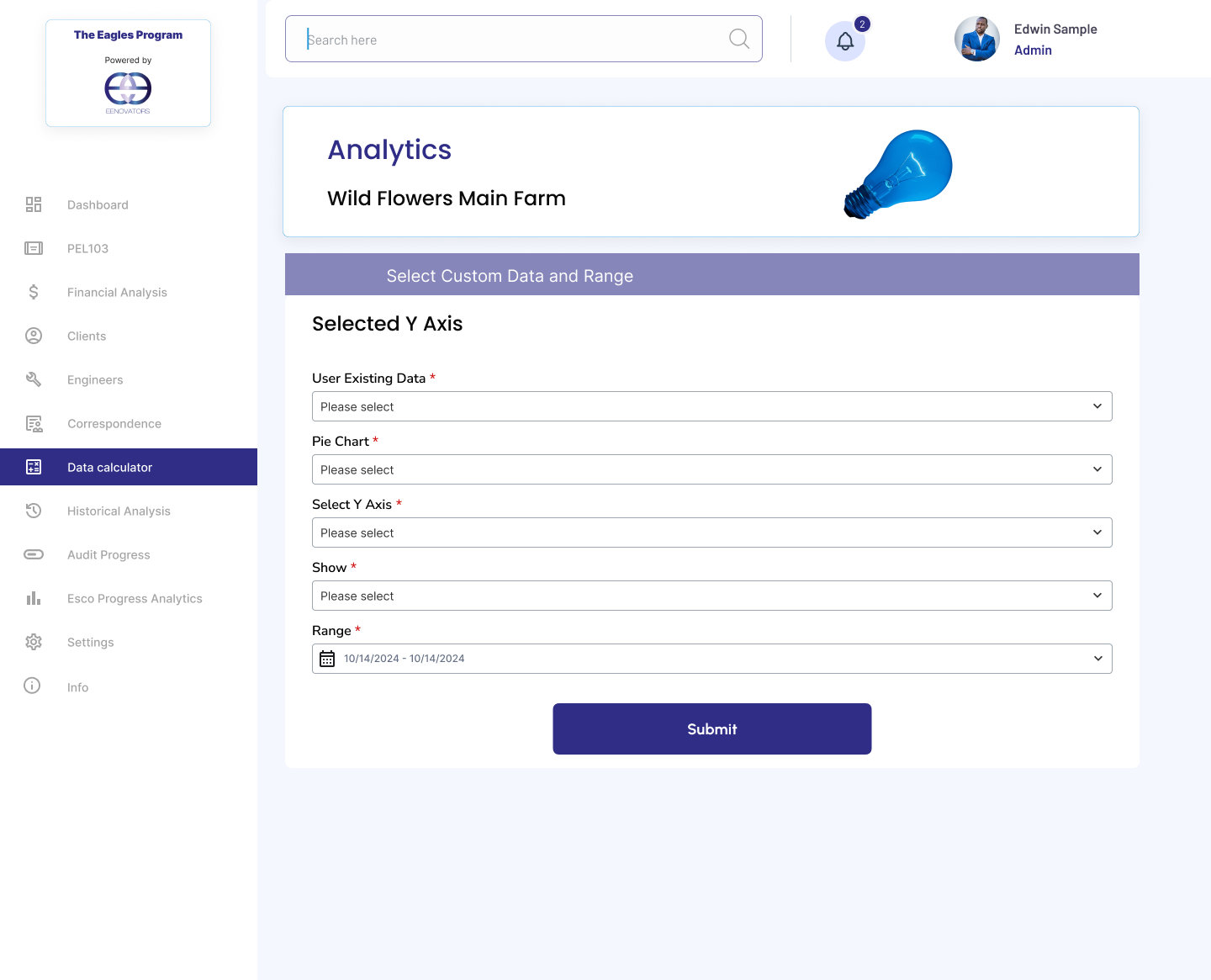
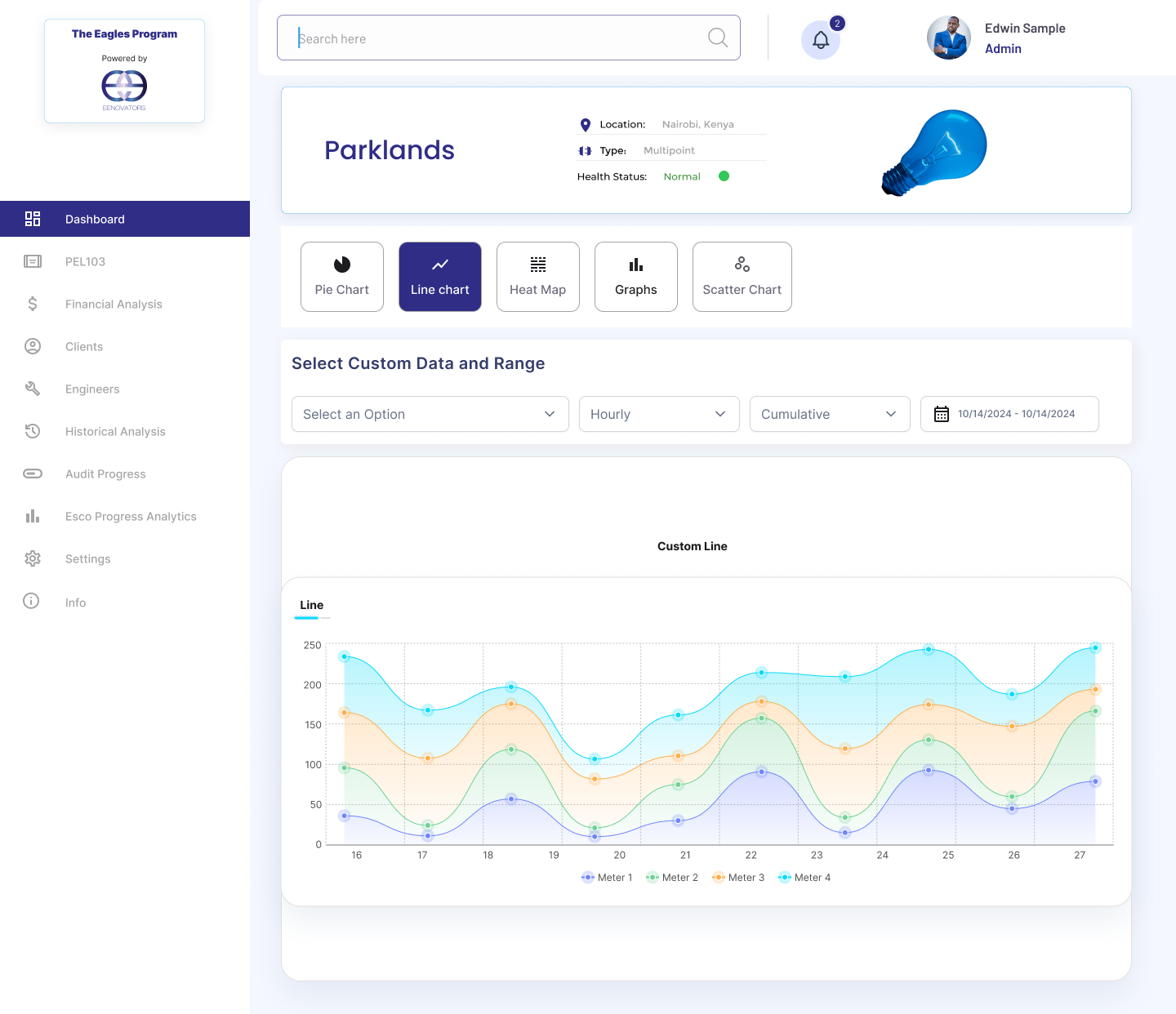
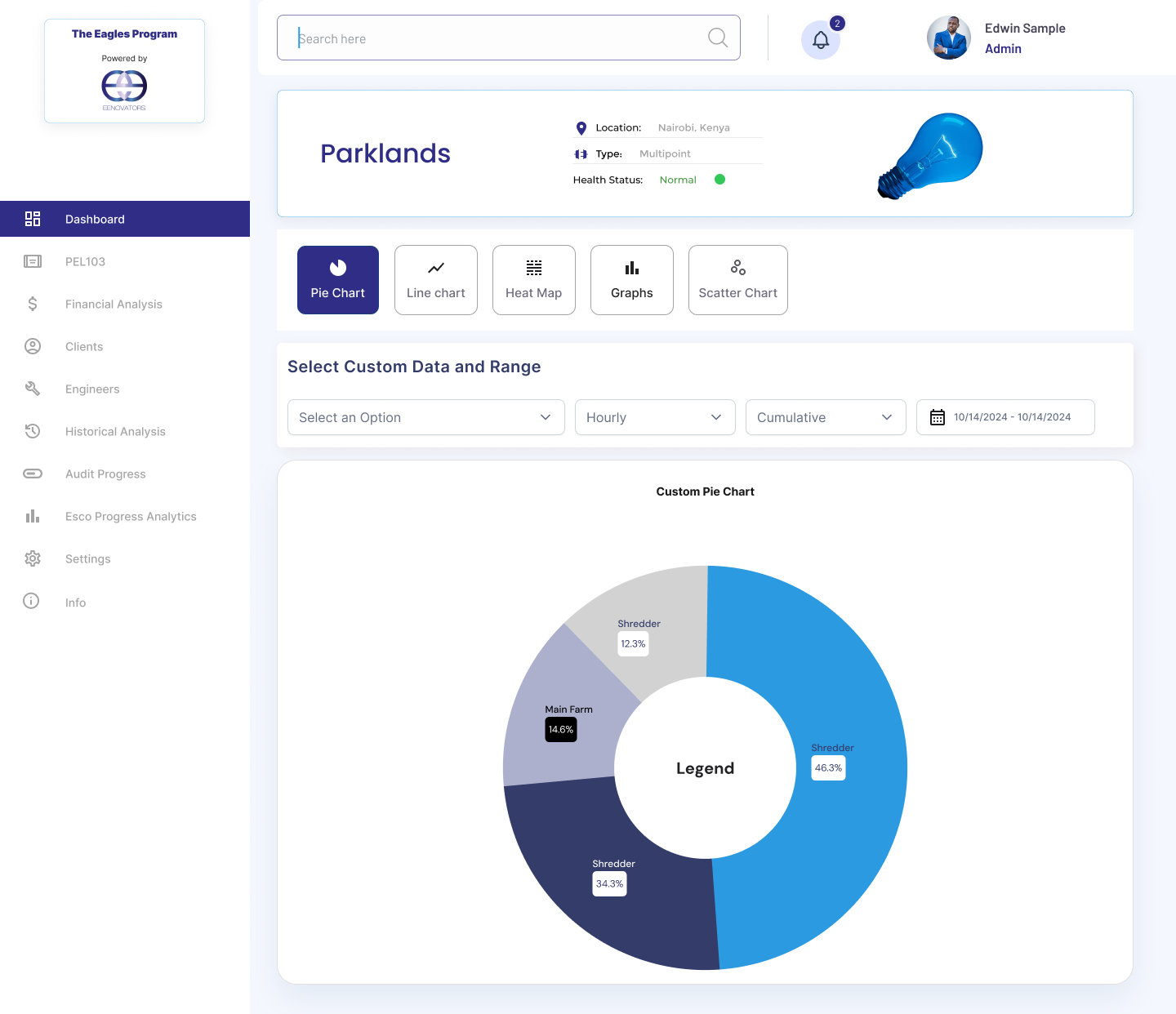
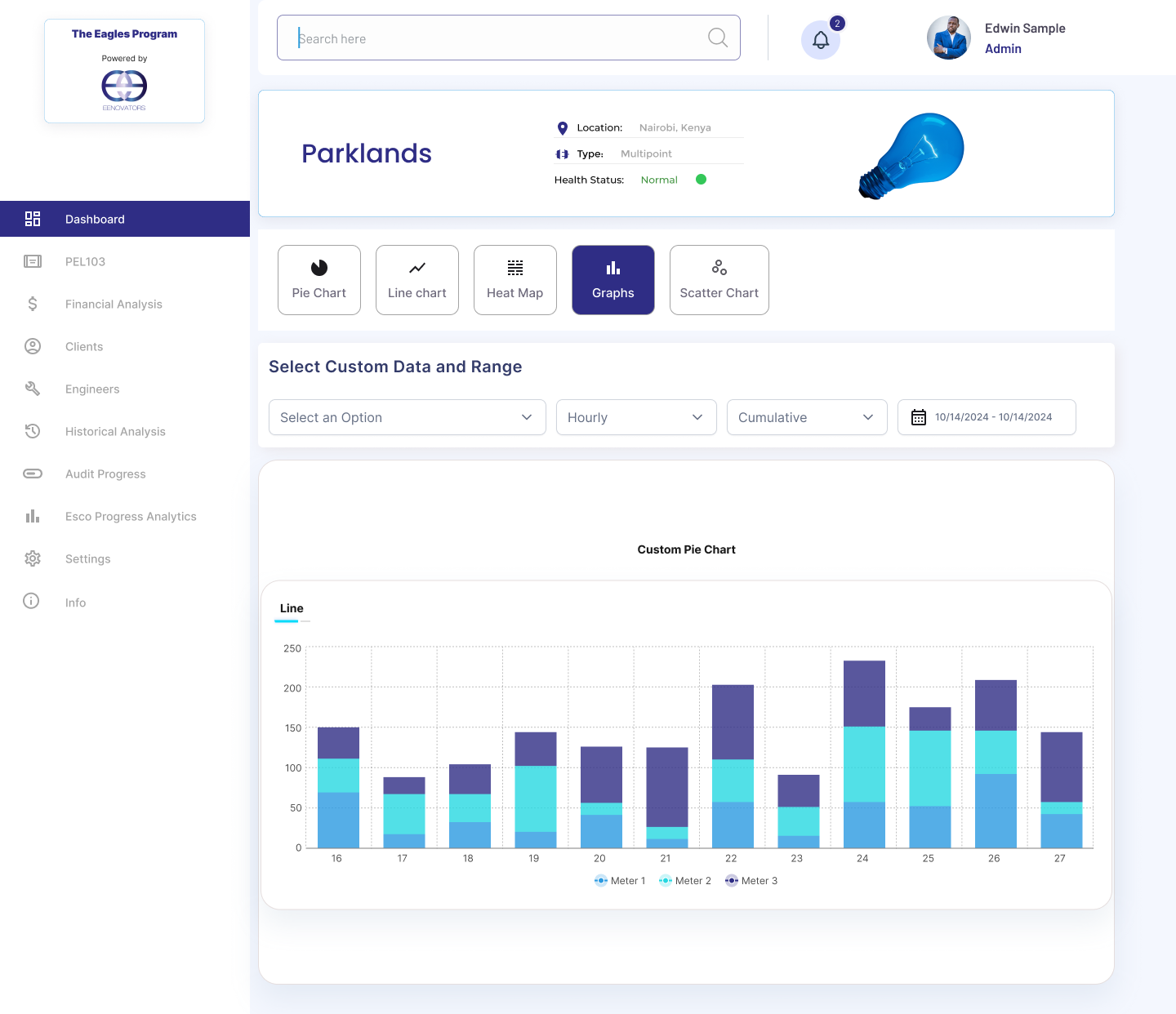
Analytics supports metric filters, custom date ranges, multi-meter comparisons and flexible diagnostic rendering modes.

Multi-dimensional charts

Analysts can switch time periods, compare panels and choose the visual mode that best exposes the pattern.

LinePieHeat-mapScatter
Parklands custom line chart
Parklands pie chart
Parklands custom pie chart

07 · Feature flow 01

Energy project & financial analysis.

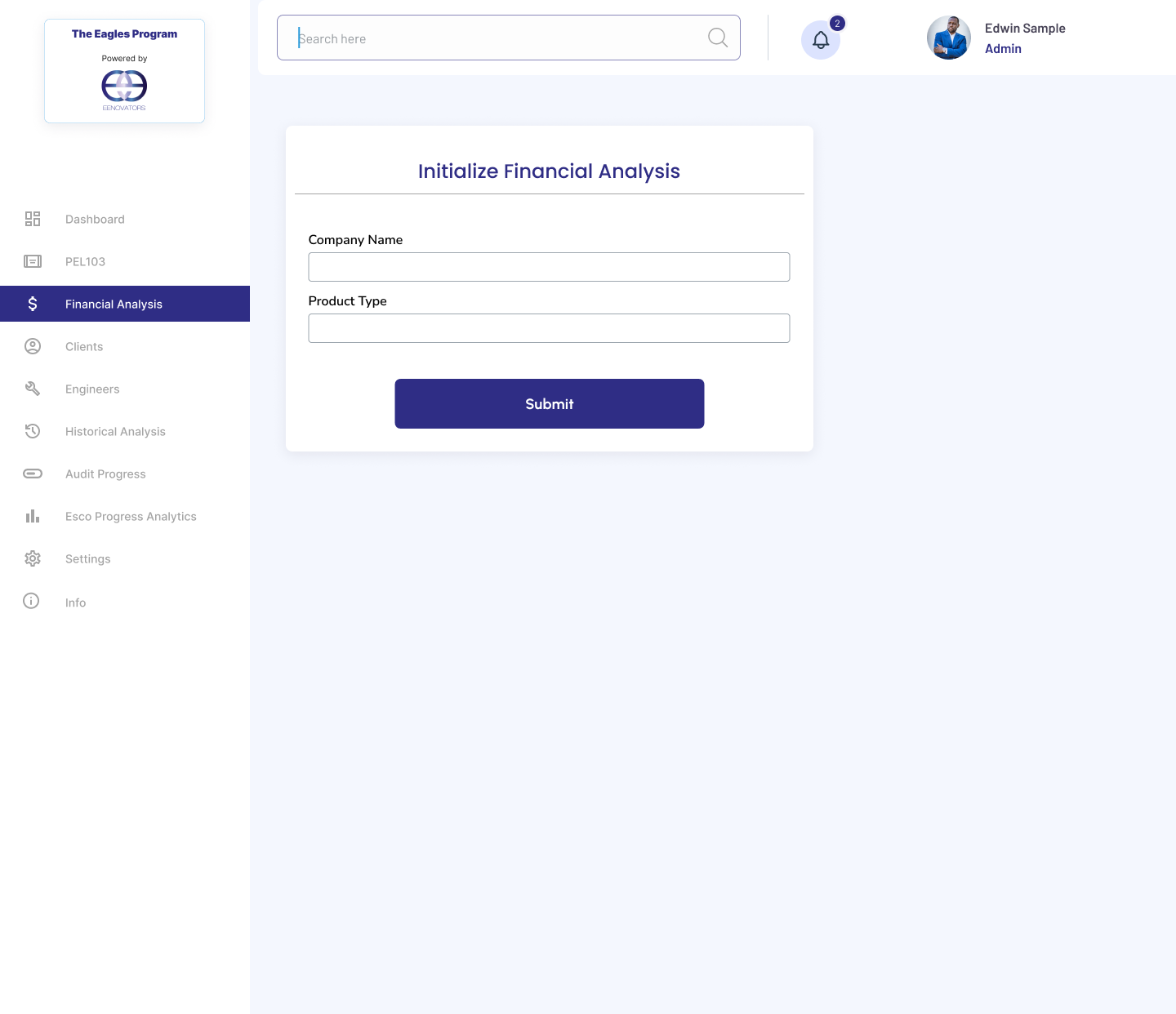
A progressive five-step flow guides teams from discovering available sites to implementing a solar PV project and estimating its return.

Step 1

Available sites

Filter, aggregate and browse through corporate offices ready for an energy audit.

Step 2

Create & initialize

Establish project boundaries, specify the coordinator and choose a site.

Step 3

Initialize analysis

Input fundamental variables including tariff brackets and operating capacities.

Step 4

Select & map ECMs

Connect energy conservation measures to the relevant project.

Step 5

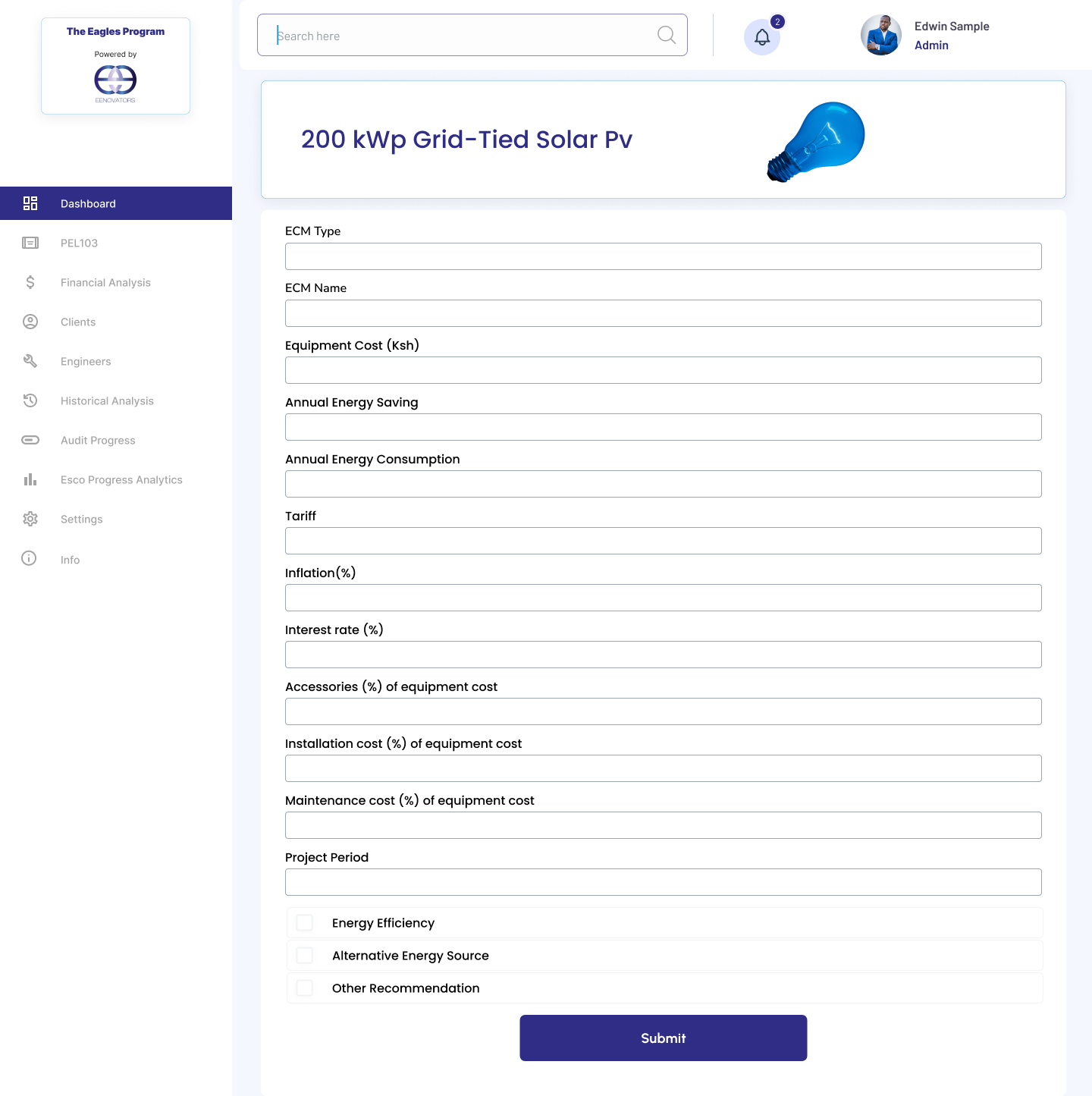
Solar PV integration

Deploy a site-specific grid-tied PV measure and configure installation costs.

Initialize financial analysis
Solar PV financial modeling

08 · Feature flow 02

Automated tenant billing lifecycle.

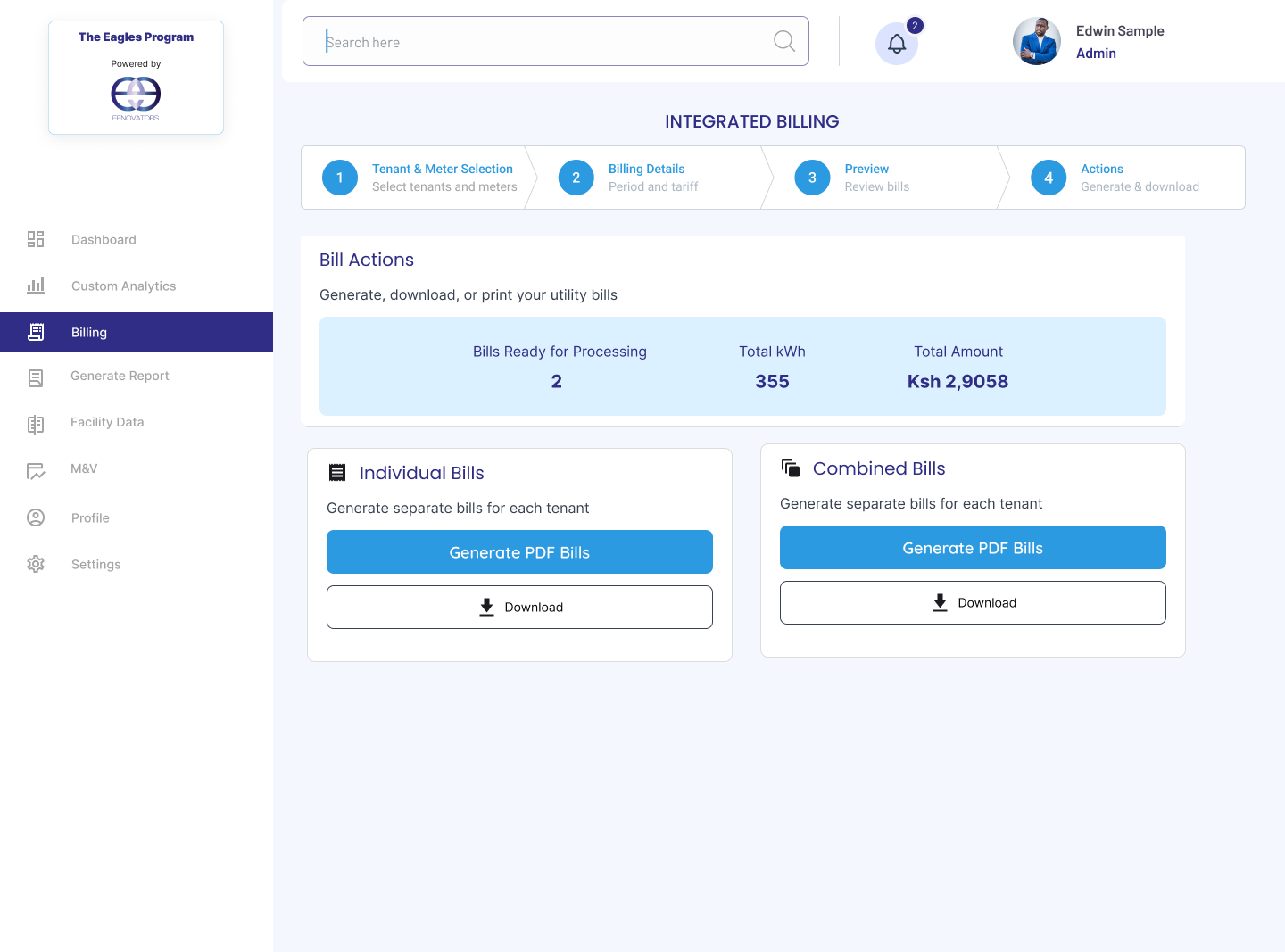
A multi-step wizard isolates consumption, configures tariffs, previews drafts and triggers downstream exports.

01

Tenant selection

Select organizational boundaries and meters.

02

Tariff configuration

Apply appropriate seasonal cost brackets.

03

Bill preview

Check generated aggregates before dispatch.

04

Bill actions

Download as PDF or publish to a client portal.

Tenant selection
Billing details tariff
Bill actions

09 · Design decision 03

Structuring complex technical forms.

A design-system approach applies strict input constraints to intricate solar engineering and financial estimates.

Strict parameter control

Engineering estimates require precise economic values. Grouping the variables creates a predictable review surface.

Equipment costAnnual savingsConsumptionTariff contextInflation %Interest rate %Maintenance %Project period

10 · Design decision 04

Support different operational roles.

Role-based access control maps responsibilities to explicit utility endpoints so large facility grids remain manageable.

Enterprise access controls

Operations within large facility grids require explicit division of labor. Custom controls let team administrators manage individual configurations without risking platform data security.

Scope configuration areas

  • Real-time meter telemetry
  • Analytics dashboards and custom widgets
  • Tenant invoicing and billing logs
  • Facility audits and progress trackers
  • Internal operational training modules

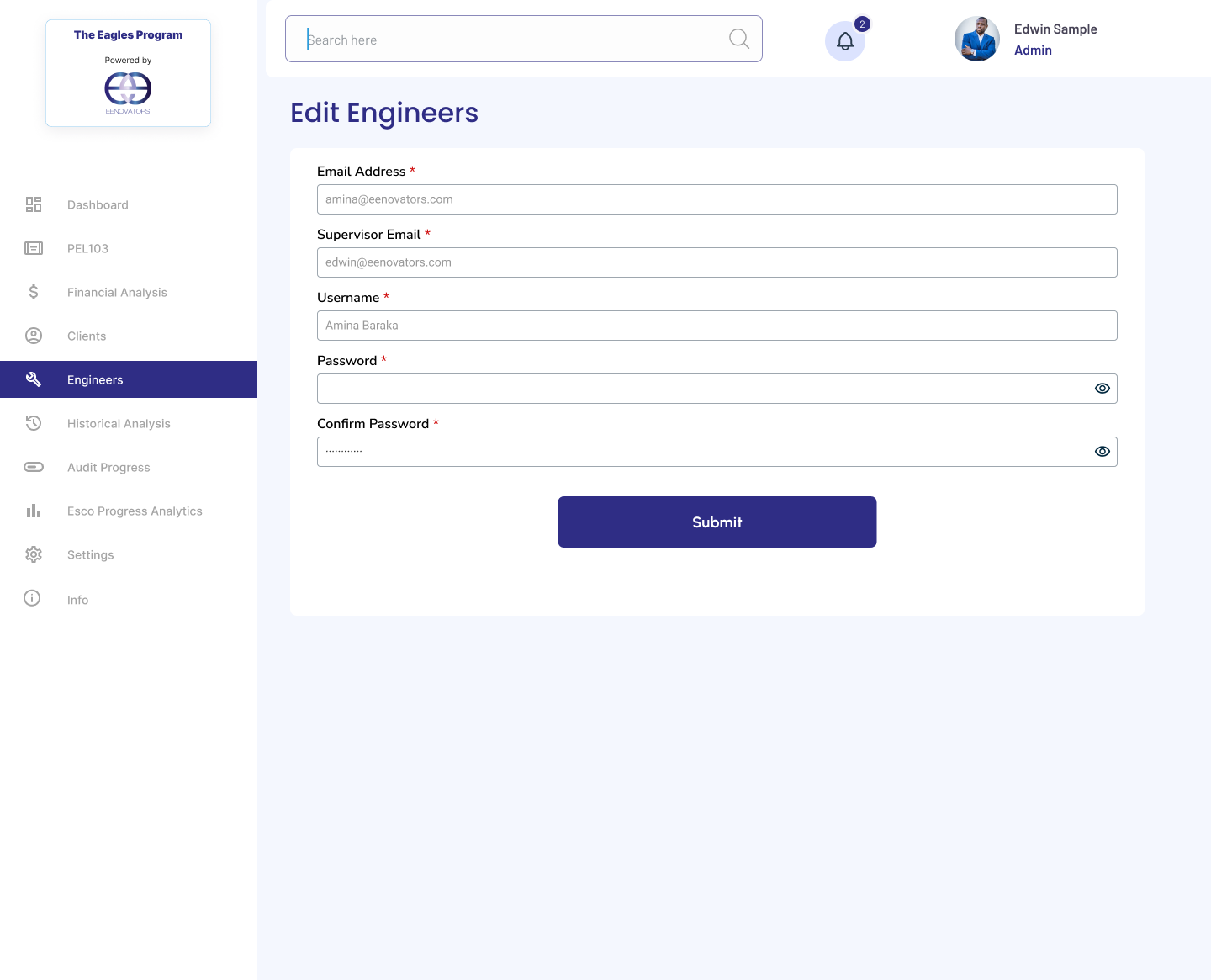
Role stepper & forms mapping

Dedicated modules manage users and access variables sequentially.

  1. Users — internal and external accounts
  2. Edit user details — granular permissions
  3. Edit client — company structures and meter bindings
  4. Engineers — certified inspectors and operators
  5. Add engineer — mapped to supervisors
Users management
Edit engineer form

11 · Platform breadth

From monitoring to operational utility management.

Eagles consolidates complex telemetry streams, performance analytics, project planning and administrative utility workflows into four cohesive pillars.

01

Monitor

Dashboard overview
Telemetry feeds
Real-time meters
Exception alarms

02

Analyze

Historical records
Custom metrics
Consumption benchmarks
M&V diagnostics

03

Act

Financial projections
ECM tracking
Asset assessments
Audit records

04

Operate

Multi-tenant billing
User administration
Engineer dispatch
Energy audits

12 · Reflections

What I learned.

  1. Design for two speeds of use

    Facility managers need instant exception highlights for morning routines, while field engineers need nested telemetry data.

  2. Progressive disclosure saves complexity

    Sectioning flows into clear multiphase steppers makes onboarding and document uploads frictionless.

  3. Context is as critical as visualization

    Raw charts are meaningless without comparative baselines and explicit data references.

Platform design role

Areas of responsibility.

  • Complete UI/UX design from discovery to handoff
  • Platform architecture and navigation paths mapping
  • Enterprise UX research and field operator interviews
  • Consolidated dashboard experience and layout
  • Telemetry data visualization and custom chart layouts
  • Complex billing and administrative workflows
  • Universal data tables, forms and filters component design

13 · Conclusion

One platform. From energy data to operational decisions.

One cohesive experience for enterprise energy.

Eagles Energy Management Platform brings monitoring, analytics, financial analysis, billing and administration into one connected enterprise experience.

Role
UI/UX Designer
Focus
Product Design
Year
2024
Company
Eenovators Ltd.
← Back to selected work